
API keys
What this is
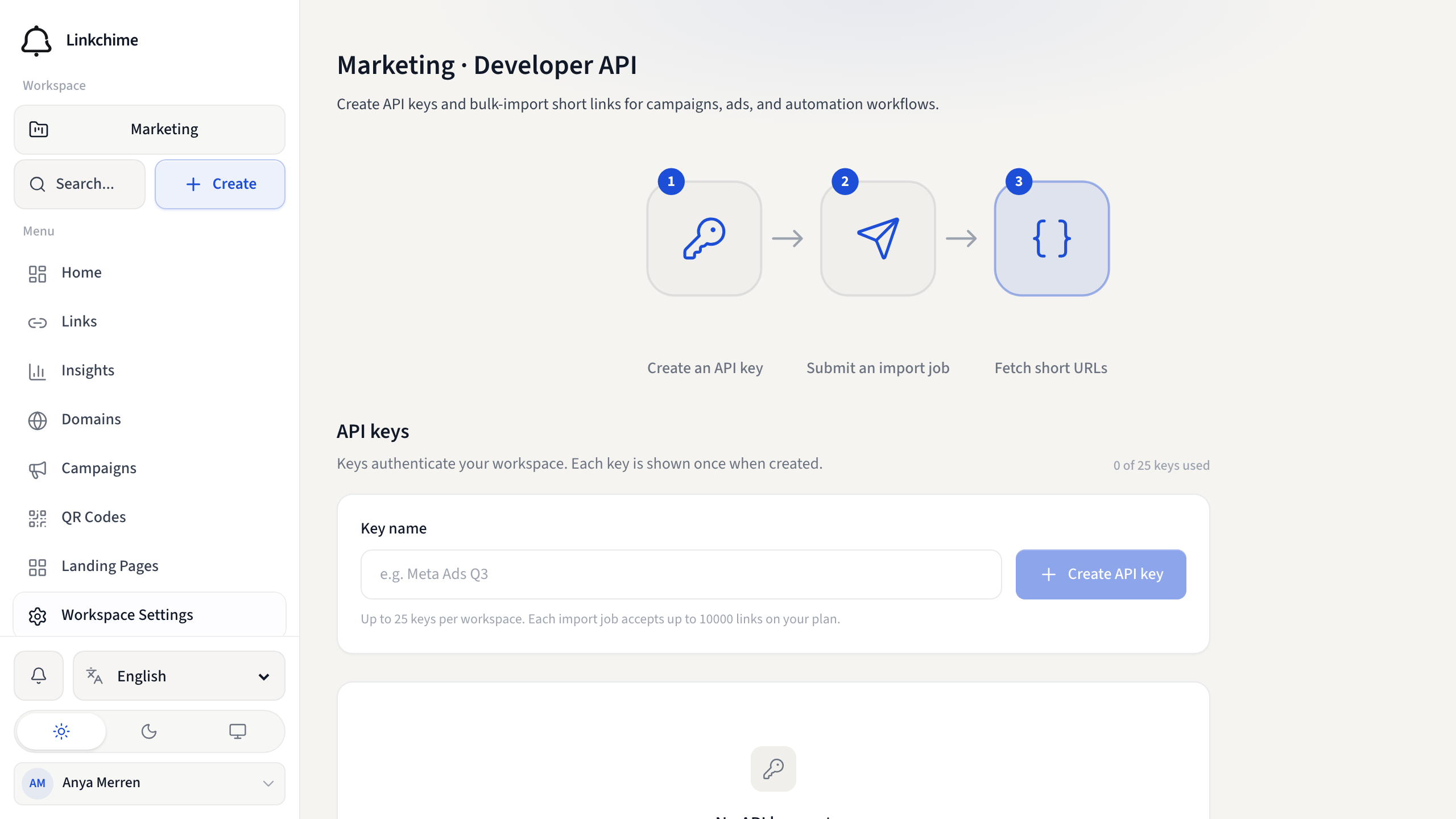
API keys authenticate your requests to the Linkchime API. Each key is tied to one workspace and shown only once when created.
Before you start
- You are the workspace owner.
- API access is on your plan.
- You haven't reached your plan's API key limit.
Steps
- Open Workspace Settings.
- Click the Developer API card (or find Developer API in global search).
- Under API keys, enter a Key name (for example
Meta Ads Q3). - Click Create API key.
- Copy your API key now — it's shown only once. Store it securely.
- Click Done.
Revoke a key
- Find the key in the list.
- Click Revoke.
- Confirm in the dialog.
What happens next
Use the key as a Bearer token in API requests. Revoked keys stop working immediately.
Tips
- Never share API keys in public code or chat.
- Revoke unused keys to free up a slot for a new one.
- The quickstart section shows curl examples once you have a key.
Related pages
Denemeye hazır mısınız?
Ücretsiz bir hesap oluşturun ve bu rehberleri bir sonraki kampanyanızda kullanın.