
Live activity
What this is
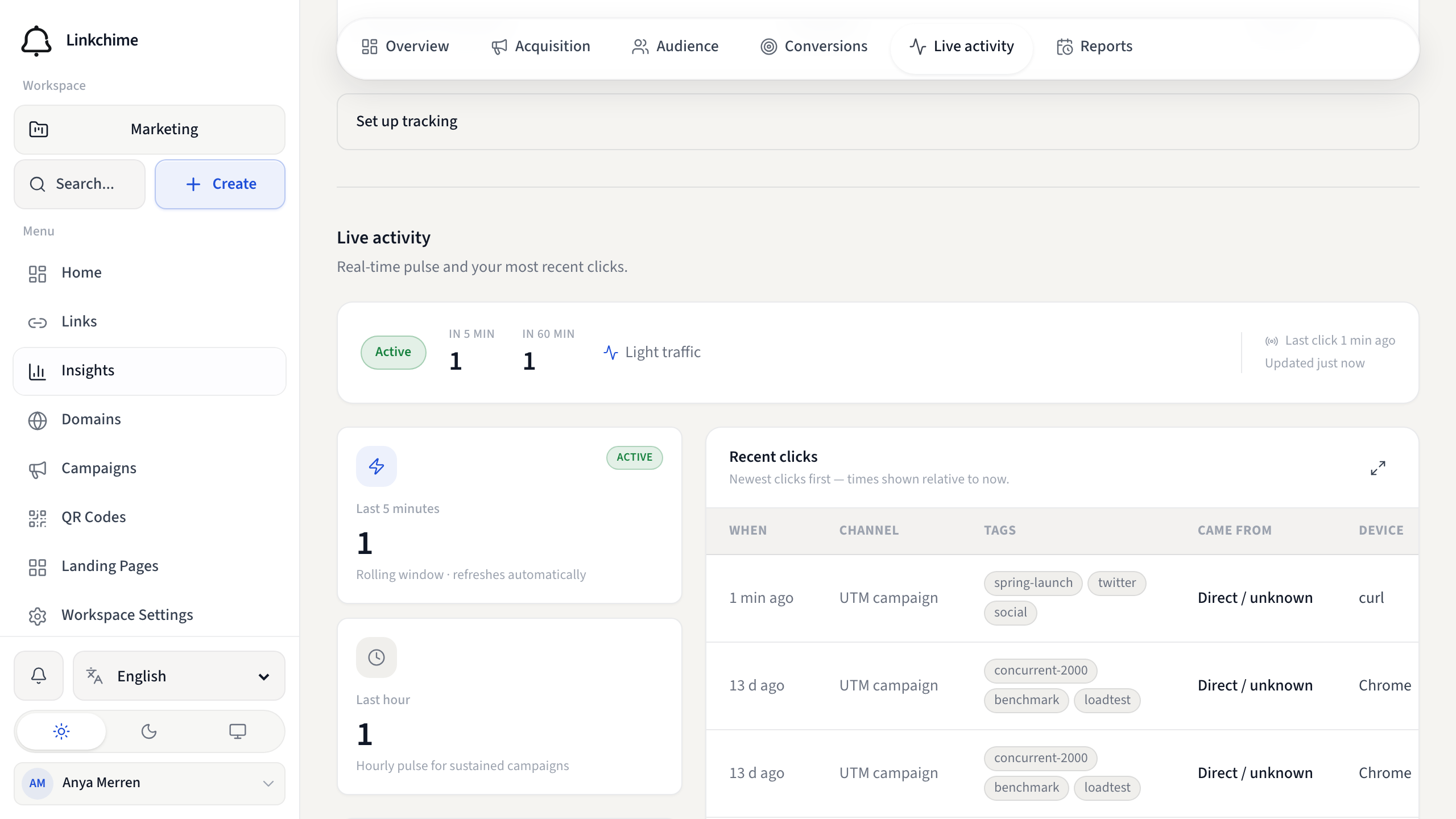
The Live activity tab shows real-time click data: clicks in the last 5 minutes and last hour, click pace, and a feed of recent clicks.
Before you start
- You're on Insights with the Live activity tab selected.
Steps
- Open Insights.
- Click the Live activity tab.
- Watch the live metrics:
- Last 5 minutes and Last 60 minutes — recent click counts
- Click pace — clicks per minute (5-minute average)
- Engagement level — Hot, Active, or Quiet
- Scroll to Recent clicks for a table of the newest clicks with time, channel, referrer, browser, and device.
What happens next
Metrics refresh automatically every 10 seconds while this tab is open.
Tips
- Great for monitoring launches, email sends, or social posts in real time.
- "No clicks in the live feed yet" means no recent activity — share your links.
Related pages
Denemeye hazır mısınız?
Ücretsiz bir hesap oluşturun ve bu rehberleri bir sonraki kampanyanızda kullanın.