
URL Cloak and Advanced cloak
What this is
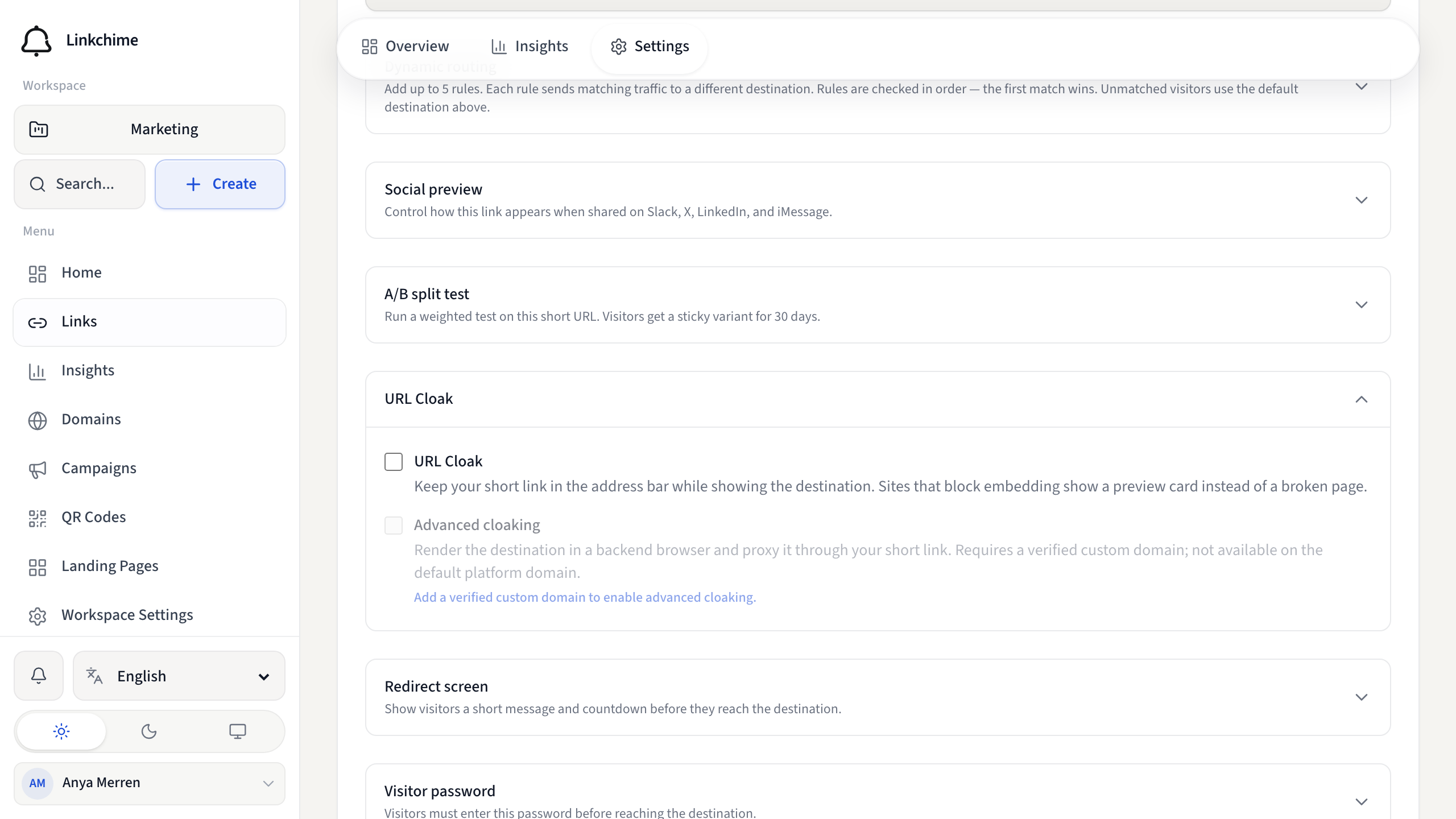
URL Cloak keeps your short link in the browser address bar while showing the destination content. Advanced cloak goes further by proxying the destination through your custom domain.
Before you start
- URL Cloak and Advanced cloak require the corresponding plan features.
- Advanced cloak also requires URL Cloak to be enabled and a verified custom domain. If this workspace has no verified domains, add one first — see Add and verify a domain.
Steps
URL Cloak
- Open a link's Settings tab.
- Turn on URL Cloak.
- Click Save changes.
Advanced cloak
- Enable URL Cloak first.
- Select a verified Short link domain (not the default platform domain).
- Turn on Advanced cloaking.
- Click Save changes.
What happens next
- URL Cloak — visitors see your short URL in the address bar. Sites that block embedding show a preview card instead.
- Advanced cloak — the destination is rendered through your custom domain for stronger cloaking.
Tips
- Redirect type settings are disabled while URL Cloak is on.
- Advanced cloak is not available on the default platform domain.
Related pages
Denemeye hazır mısınız?
Ücretsiz bir hesap oluşturun ve bu rehberleri bir sonraki kampanyanızda kullanın.